
How to turn your phone into a baby monitor
You need two phones and one baby monitor app installed on both. One phone stays in your baby's room and works as the camera and microphone. The other stays with you and plays what it hears. An old phone you no longer use is a good fit for the baby's room: it only needs a working microphone, a camera, Wi-Fi and a charger.
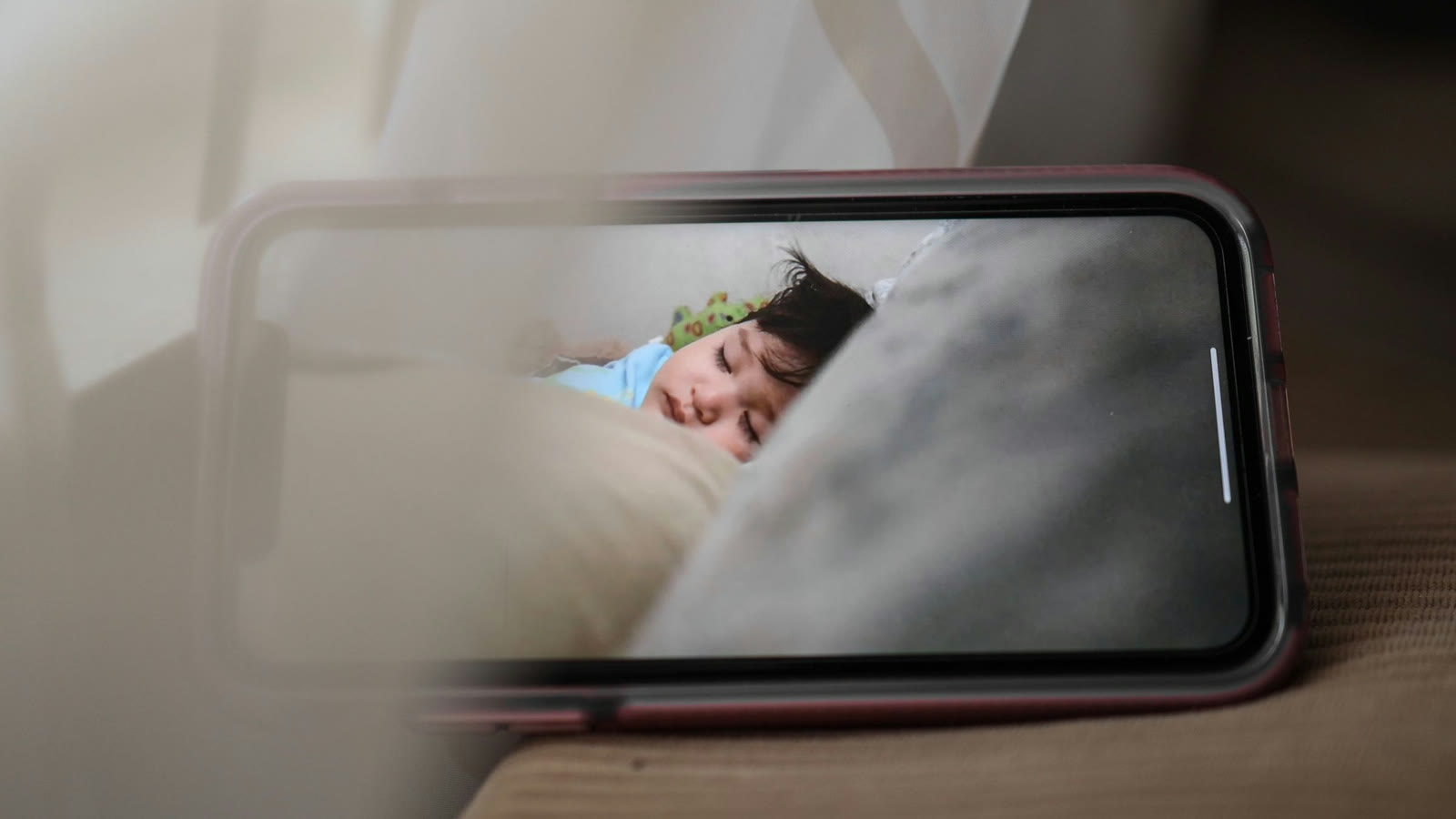
With Nanabee Sleep, the monitor works at home: both phones are on your home Wi-Fi, and the sound and video go straight from one phone to the other, never over the internet.
Below: what you need, the two kinds of apps and how they differ, a setup that takes about ten minutes, where to put the phone, and what a phone can and cannot do compared with a dedicated baby monitor.
What you need
- A phone for the baby's room. An old Android phone or iPhone is fine. It does not need a SIM card or a mobile plan, only Wi-Fi. Check that the microphone and the camera work and that the phone still charges reliably.
- Your own phone, the one you carry around the house.
- Home Wi-Fi that reaches the baby's room and the rooms where you spend the evening.
- A charger and a long enough cable, because the baby phone stays plugged in all night.
- A stand or a shelf about 6.5 feet (2 meters) from the crib, from which the camera can see the crib.
- A baby monitor app installed on both phones.
At home only, or from anywhere?
Baby monitor apps come in two kinds. Know which one you install.
At home only. Both phones are on your home Wi-Fi, and the sound and video go straight from one phone to the other. They never go over the internet, so they never leave your home. The monitor works anywhere in your home, but not from work or from a friend's house. Nanabee Sleep is this kind.
From anywhere. The sound and video go over the internet, through the app maker's computers. You can check on your baby from anywhere, but the picture of your baby leaves your home, and the monitor stops when your internet stops.
For the evening and the night at home, an at-home app is all you need.
Set it up, step by step
- Get the old phone ready. Update it, free up some storage, and remove apps you no longer need, so fewer things run in the background. Turn on Do Not Disturb or airplane mode with Wi-Fi switched back on, so no call or message rings next to your sleeping baby.
- Install the same app on both phones and allow what it asks for: the microphone and the camera on the baby phone, notifications on your phone.
- Connect the two phones. Most apps pair the phones once, with a code or a QR code, and remember each other after that.
- Put the baby phone in its place: plugged in, at least 6.5 feet (2 meters) from the crib, never in or on it, with the camera pointing at the crib. Keep the cable well out of your baby's reach.
- Turn your own phone's volume up and check that notifications from the app are allowed. A muted phone or blocked notifications are the most common reason a parent misses an alert.
- Test it before the first night (see below).
Where to put the baby phone
A phone is not a toy and not bedding. Keep it at least 6.5 feet (2 meters) from the crib, on a stable surface or a wall stand, never in the crib or tied to its rails. The American Academy of Pediatrics advises keeping the cords of baby monitors out of the crib and out of reach, and a phone charger cable counts too.
At that distance a phone's microphone still hears a crying baby clearly in a quiet room, and a slightly raised spot gives the camera a view of the whole crib. A dark room is fine for sound. For video, a dim night light helps more than turning the screen brightness up.
Test it before the first night
Spend five minutes on this while your baby is awake and somewhere else:
- Sound: talk softly next to the crib and listen on your phone in the room where you spend the evening, also with a door closed.
- Every room: walk with your phone through the house, including the kitchen, the bathroom and the garden, to find where the Wi-Fi ends.
- Locked screen: lock your phone and check that the sound and the alerts still come through.
- A lost connection: turn off the baby phone's Wi-Fi and see what your phone does. A good app tells you loudly. An app that just goes quiet is the riskiest kind, because silence looks the same as a sleeping baby.
- Battery and heat: leave both running for an hour and touch the baby phone. Warm is normal, hot is not.
What a phone does well, and its limits
A phone baby monitor costs nothing extra, gives an old phone a job, and often does more than a basic audio monitor: video, a night light, white noise from the same phone, and control of all of that from your own phone. It also has limits that a parent should know.
- It is only as reliable as your Wi-Fi. A router that restarts at night or a weak signal in the baby's room breaks the connection. Choose an app that warns you when the connection drops, and fix weak spots with a closer router or a mesh point.
- Phones save battery by stopping apps. Some phones close apps running in the background. Keep the baby phone on the charger with the monitor app open, and if your phone has battery saving for single apps, turn it off for the monitor app.
- Your phone has other jobs. A call, a dead battery or a forgotten silent switch can come between you and the monitor. Keep it charged at night and check the volume before you go to sleep.
- An at-home app works only at home. It does not work on mobile data or from another place.
- A phone monitor is not a medical device. A phone hears and sees, but it does not watch breathing, heart rate or oxygen, and neither do most dedicated monitors. No monitor prevents sudden infant death. What lowers the risk is safe sleep: on the back, on a firm, flat surface, in the parents' room, without pillows, blankets or bumpers.
How Nanabee Sleep does it
Nanabee Sleep is a white noise app with a baby monitor built in, of the at-home kind. In the Monitor tab one phone becomes the baby phone and the other the parent phone. You scan a code on the baby phone once; after that the phones find each other on your Wi-Fi with one tap.
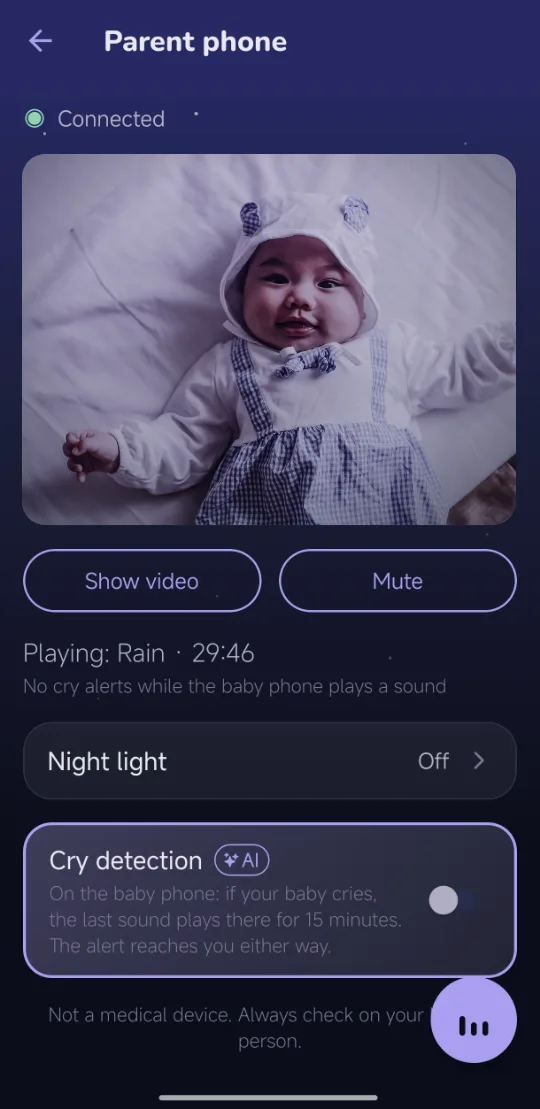
- Live sound and video on request. You hear the baby phone all the time and turn the video on when you want to look.
- A cry alert. AI cry detection runs on the baby phone. When it hears crying, your phone vibrates, shows a banner and turns on the video for a minute. How that works is explained in Baby cry detection apps.
- An alarm when the connection drops. If the baby phone stops answering, your phone vibrates and rings a chime within seconds, also with the screen locked, until the phones are connected again.
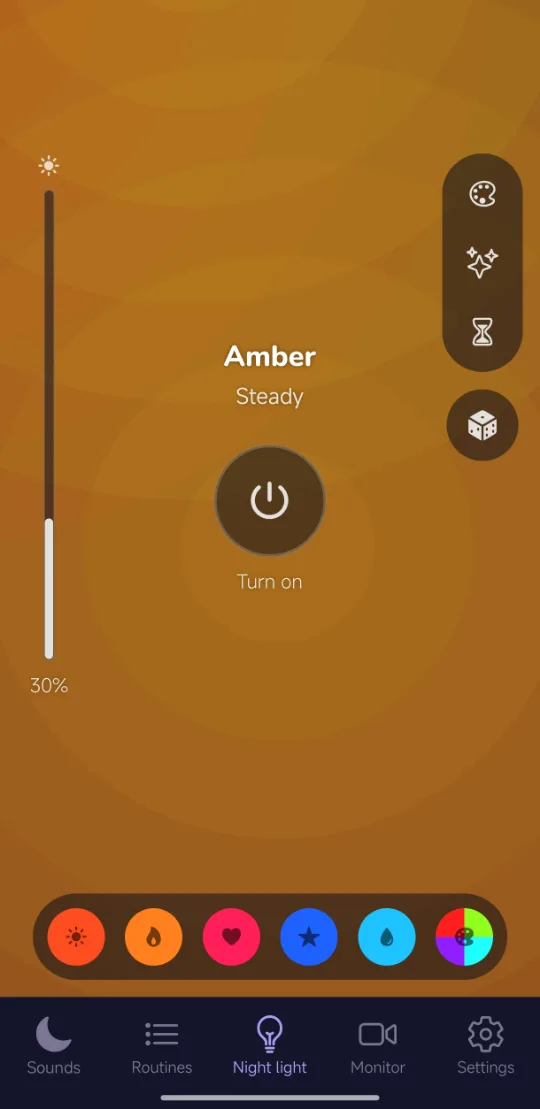
- White noise and a night light on the baby phone, which you start, stop and change from your own phone without going into the room.
- Nothing leaves your home. Sound and video go straight from phone to phone over your Wi-Fi, not through a server, and are never recorded.
- Pro on one phone. The baby phone works with the free app; only the parent phone needs Pro, which you can try free for 14 days.
The baby phone keeps its monitor screen open, plugged in, with a black screen. It works between Android phones and iPhones, also one of each.
Questions
Does the old phone need a SIM card?
No. An at-home app like Nanabee Sleep only needs Wi-Fi on both phones. A phone without a SIM card is even better for the baby's room, since no call can ring there.
Does a phone baby monitor use mobile data?
Nanabee Sleep does not: it only uses your home Wi-Fi. Apps that work from anywhere use mobile data whenever your phone is not on Wi-Fi, and video uses a lot of it.
Can I use an Android phone and an iPhone together?
Many apps allow it, Nanabee Sleep among them, as long as the same app is on both phones. Two different apps cannot talk to each other.
How far does it reach?
As far as your Wi-Fi. Anywhere in the house where your phone has a good Wi-Fi signal, the monitor works too.
This guide is general information, not medical advice. Nanabee Sleep is not a medical device and does not replace watching your baby. For safe sleep, follow your pediatrician and the AAP's safe sleep recommendations.